Material shell Website
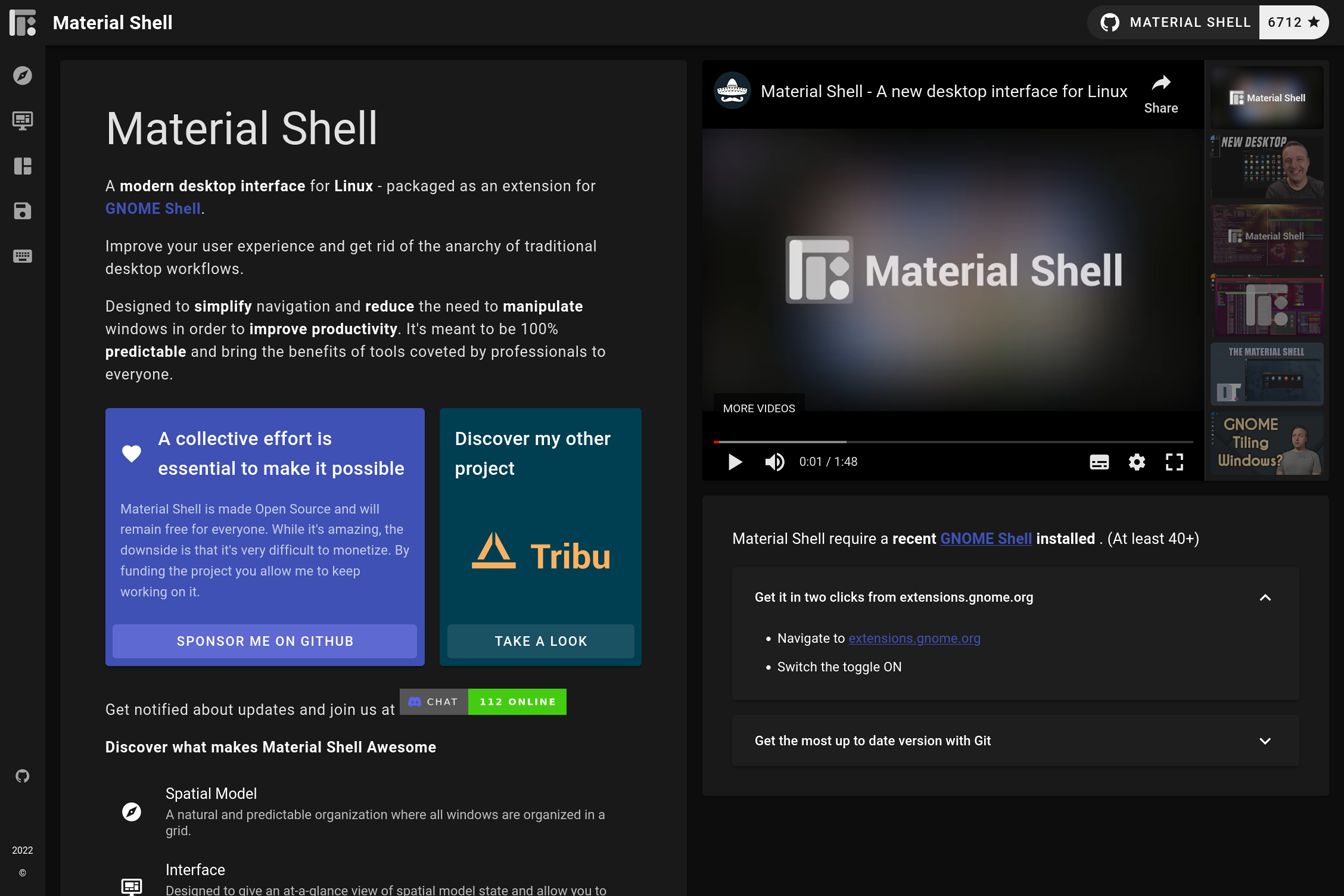


About Material Shell
Material Shell was an ambitious project promising a new, more efficient and intuitive way of interacting with the desktop.
It was a tiling window manager that remembered where windows were last, so that when they are reopened they automatically remember their place.
Linux desktops have the concept of “workspaces” where windows can be moved between.
It’s common convention for users to reserve certain workspaces for certain apps.
For example; the top left hand corner of my screen look like this:

These are my workspaces, if I click on one of these it will take me to that workspace.
My text editor with my notes is in the first, anything else I’m working on is in the second, my browser windows are in the third, email and messaging apps all in the fourth, password manager in the fifth and setting in the sixth.
I have keyboard shortcuts that instantly take me to any specific workspace.
An action that is often repeated is moving apps to the correct workspace.
In Material Shell, apps would remember where they were last opened, and open there.
Not just in the right workspace but in exactly the same position in the screen they were, thus saving time.
The idea was the create a workflow with little to no need to manipulate windows and to radically reduce the effort of managing doing different things at once, and switching tasks.
“The best way to organise your windows and workspaces, is not to.”
About the Project
I first heard of Material Shell through the blog OmgUbuntu.
I was really enthusiastic about the project so I joined their Discord chat group as an active member, giving suggestions for features and eventually volunteered to help build their website.
I didn’t want to create just another website, I wanted to create something that communicated what the project was.
I ended up designing the Material Shell website, to look like Material Shell.
With panes of on the left and the top of the screen, as well as sections of the site mimicking the look and feel of open windows on the screen.
I built this website with Vue.js which I was learning at the time, and Vue Material which allowed me to easily mimick the look and feel of Material Shell itself.