Better Twitter Archiver


About the Project
I was hired by David Kedmey to create a better way to archive a person’s entire Twitter history.
The problem with the current way of exporting tweets was that, they are only exported as a list, each tweet lacks context.
A lot of twitter, microblogging, and social media in general is in the interactions we have with others.
Seeing a post I’ve made in reply to another, without seeing the post I am replying to in general, isn’t necessarily useful.
Rather than just exporting all your tweets, Better Twitter Archiver, is about exporting all your conversations.
Your tweets, but also all of the surrounding context, all of the tweets in the thread that you are replying to.
David noticed that there was a lot of valuable content on twitter that was truly transient.
Academics, public figures, etc, would have exchanges in public, many of which led to real insights in real-time.
In practice, these would get lost as they got buried under newer posts in everyone’s timelines.
They would also be prone to being lost forever if anything happened to one of the user’s twitter accounts.
A big part in the motivation for building this archiver was to make all of this transient knowledge on twitter more resilient.
In 2022, Elon Musk acquired Twitter, and the quality of the platform has since been in free fall.
I didn’t want anything to do with it, so I moved over to Mastodon and have been happy there ever since.
However, I was very prolific on twitter. My tweets over the years served as a record as to what I was thinking about and doing over the years.
Before leaving twitter for good, I was able to backup all my tweets and conversations through Better Twitter Archiver.
How it was built
This project was written entirely in Rust which also happens to be my favourite programming language.
Rust is a general purpose language that compiles to binary, is only slightly slower than C, is strongly-typed and compile-checked and perfectly memory-safe without garbage collection.
Watch this video to learn more about the appeal of Rust.
Better Twitter Archiver was written in two parts:
The server is where most of the magic happens.
Inputting a twitter handle, it is possible to fetch every conversation from that user using the Twitter API, which are then stored into an SQLite database locally.
When this is done once, on subsequent attempts, it will check the SQLite database for the datetime of the most recent tweet there and only fetch every conversation newer than that and append it to the database.
The server uses Rocket which works beautifully as a server and is very easy to read and write - It’s definitely my favourite backend web framework for Rust.
You can see my routes in Rocket in this file.
The ORM (Object Relational Model) called SeaORM was used to interface between Rust and the SQLite database.
This basically maps the tables in the SQL databases to Rust structs. There are functions to interact with the database through these structs without using SQL directly.
This ended up working fine, but I found it a little clunky to work with.
In the future I will use a solution more like SQLx, where I will be writing SQL directly into the Rust files directly.
It’s even possible to have the SQL’s validity checked against your database schema in real-time in the text editor!
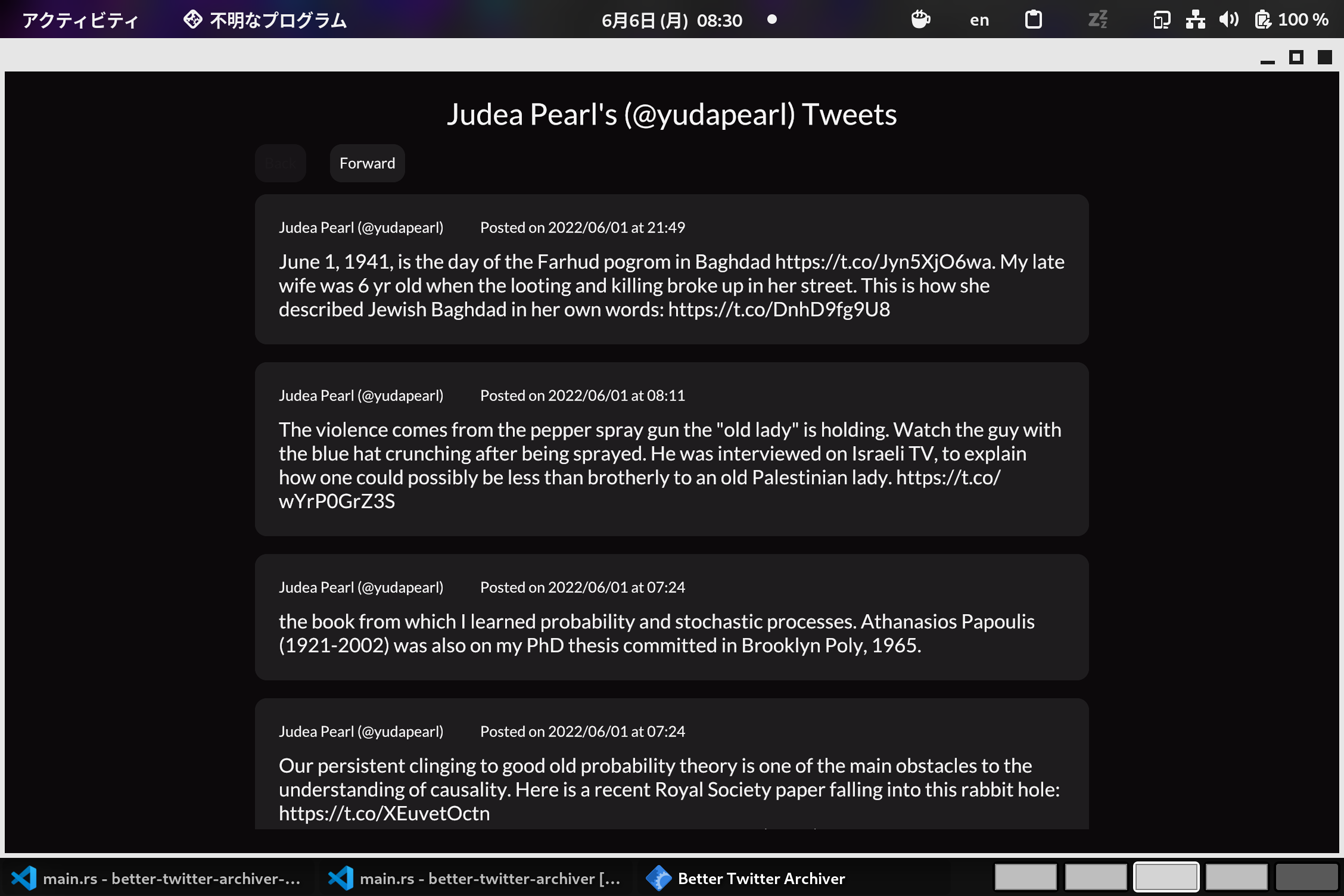
For the User Interface, I used Iced.rs.
This was not a web app, but ran locally. It worked just fine on both my linux machine and my client’s Mac.
Iced was very pleasant to use, it was inspired by Elm which is another one of my favourite languages.
The only thing that I didn’t like about it was that the App didn’t look and feel at home. It was very obviously not a native app.
In the future, I want to start making desktop applications using Relm4 to write desktop apps.
Under the hood, the desktop app simply made API calls to the server, and displayed the results.